
I've been running MCP servers for a while now, and at some point the number of them crossed a threshold where "just configure each client" stopped being a viable strategy. I had Google Workspace connections, Pinecone for RAG, transcription tools, home automation hooks, and a growing collection of device-level integrations scattered across my LAN. Every time I wanted to try a new AI client, I'd spend twenty minutes copy-pasting server configs. Every time I added a new MCP, I'd have to touch every client that needed it.
So I rebuilt the whole thing around aggregation.
The Core Idea: Two Tiers, Not One
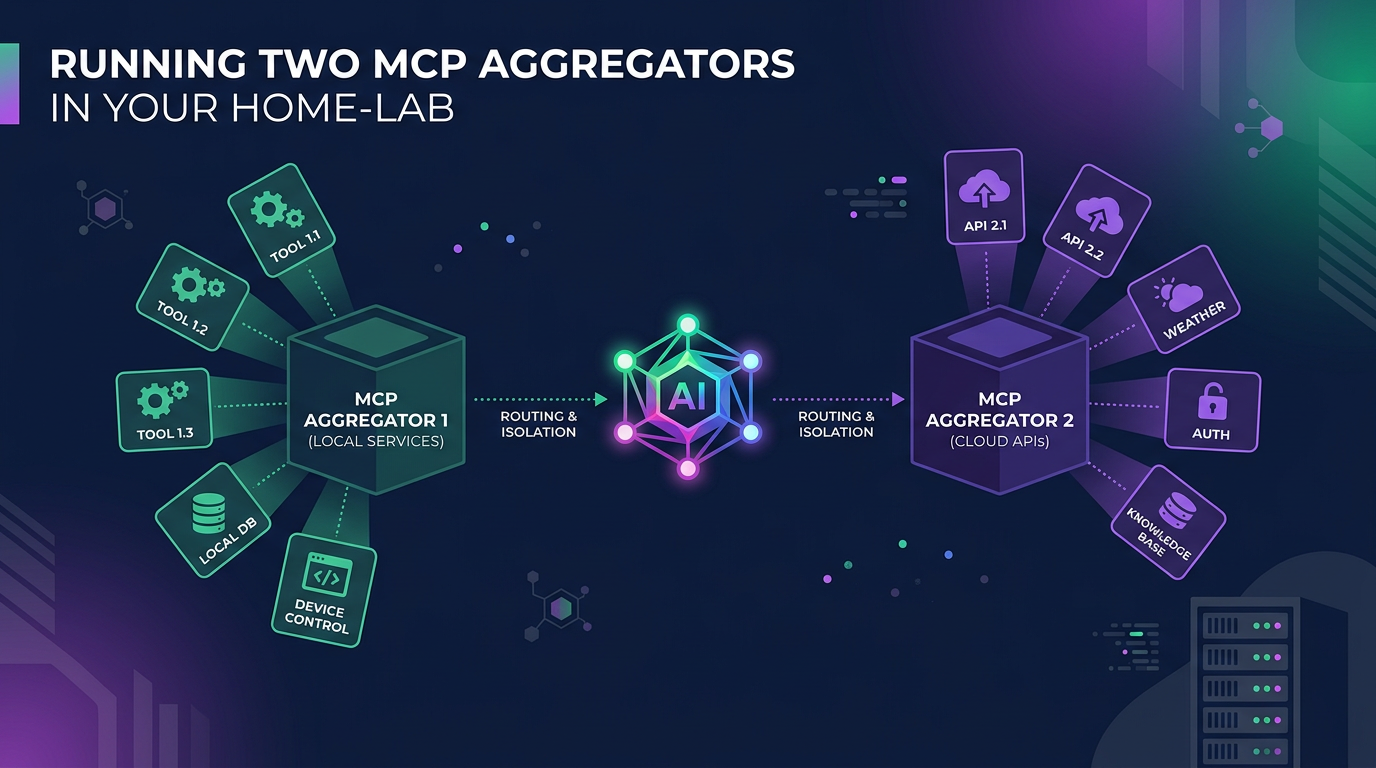
The architecture I've landed on uses two MCP aggregators — one on a LAN virtual machine (the default), and one on my local desktop (the exception). The distinction matters, and it's not arbitrary.
Aggregator 1: The LAN VM
This is where everything lives unless there's a specific reason it can't. MCP Jungle (formerly MetaMCP) runs on a VM on my local network and hosts connections to remote SaaS APIs — Google Workspace, Replicate, Pinecone, Meno — as well as infrastructure services running within its Docker network (PostgreSQL for conversation logging, among others).
The reasoning here is client portability. By centralising MCPs on a network-hosted VM rather than on any single client device, the tool surface is available to any AI client — desktop apps, CLI tools, remote agents — without per-client configuration. A new client just points at the aggregator and gets everything.
Aggregator 2: Localhost
The second aggregator runs locally, and it's exception-based. An MCP ends up here only when one of three conditions applies:
It requires local device access to function (Blender MCP, Revit MCP, anything that drives desktop software)
It doesn't support file transfer to a remote and needs direct filesystem access
It's too cumbersome to configure remotely (a transcription MCP expecting local audio hardware, for instance)
If none of those apply, it belongs on the VM. This keeps the localhost aggregator lean — a handful of tools rather than dozens.
Remote Access Without the Pain
The LAN VM's aggregator is reachable from outside the network via two paths:
Cloudflare Tunnels for stable, publicly-routable access without exposing ports
Tailscale for private mesh networking when I'm on the move
An OpenClaw gateway sits in front of the VM aggregator, handling routing for both local and remote clients. The practical upshot: whether I'm sitting at my desk or working from a coffee shop, the same MCP servers are available (no VPN juggling required).
LAN Device Integration
This is where the hierarchy gets interesting. Lightweight MCP servers run directly on local LAN devices:
Home Assistant (home automation)
NAS (network storage)
OPNsense (firewall/router)
SBC Aggregator — a dedicated single-board computer that aggregates signals from other SBCs (a couple of Raspberry Pis)
These device-level MCPs feed into a LAN Aggregator/Gateway, which then connects upstream to MCP Aggregation 1 on the VM. Each device exposes only its own narrow tool set, and the aggregator composes them into a unified interface. Clean separation.
Why This Structure Matters: Context Load
The real motivation behind all of this isn't just convenience — it's managing context load. Anyone who's worked with MCP-heavy setups knows the problem: load every tool into every client session and you're burning context window on hundreds of irrelevant tool definitions before you've even asked a question.
The modular, hierarchical approach addresses this directly:
LAN devices expose focused, narrow tool sets
The LAN aggregator composes device tools into logical groups
The VM aggregator presents a curated surface to clients
The localhost aggregator handles only the genuine exceptions
Any single client session sees a manageable number of tools, not the entire inventory. The system is easier to reason about, debug, and extend (and my context windows thank me for it).